Automatic Alignment
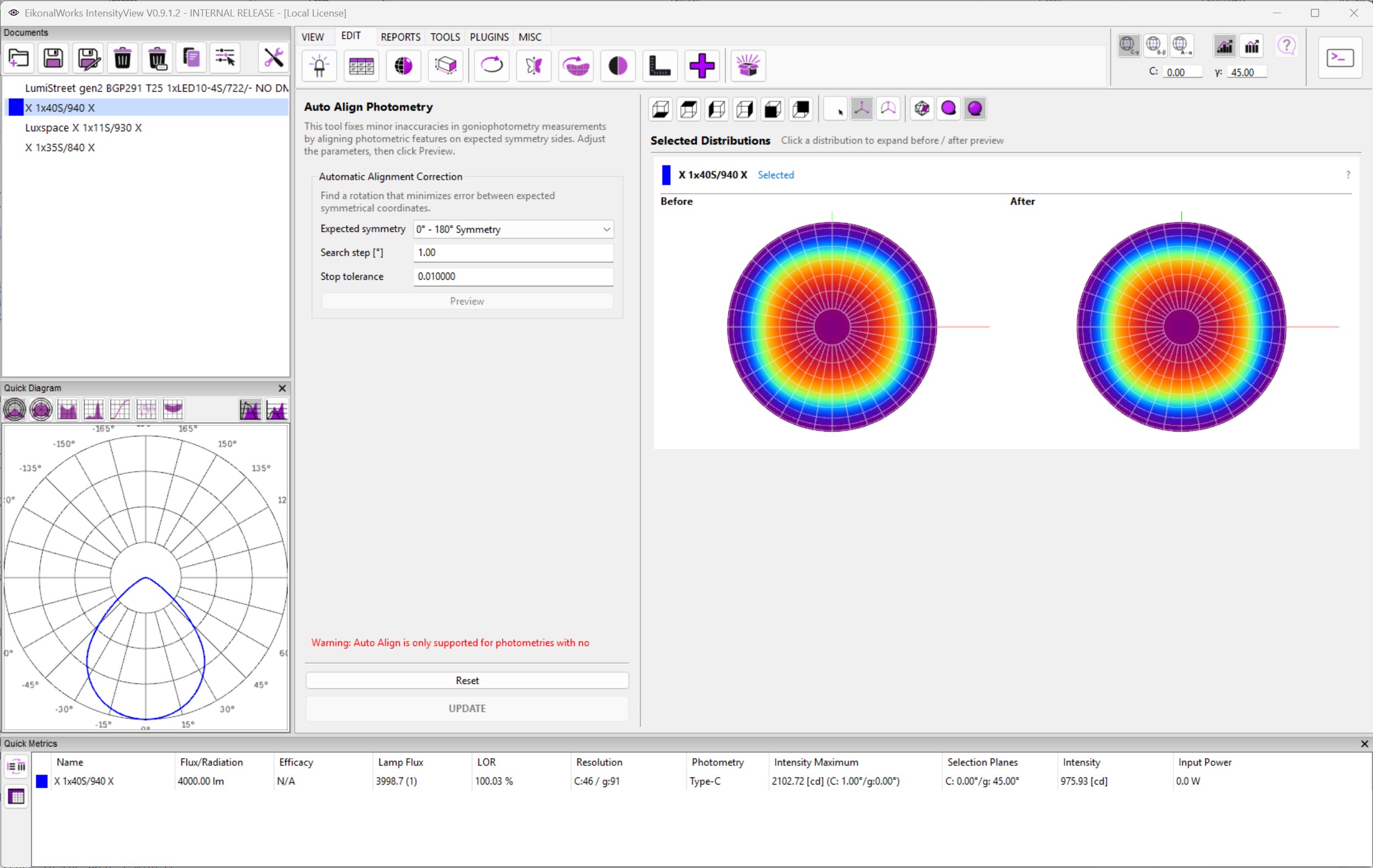
Automatic Alignment corrects small goniophotometer mounting and orientation errors. It searches for a gimbal-lock-free rotation that reduces the mismatch between measured coordinates and the symmetry that the photometry is expected to have.
Controls
- Expected symmetry selects the target symmetry: 0-180 Symmetry, 90-270 Symmetry, DiSymmetry, or Rotational Symmetry.
- Search step [deg] controls the angular search increment. It must be finite and larger than zero.
- Stop tolerance controls when the alignment search is considered converged. It must be finite and larger than zero.
- Preview calculates the aligned result in the after preview without modifying the selected photometry.
- Reset restores the default search step, tolerance, and expected symmetry.
- UPDATE applies the alignment to the selected photometries.
Selection Rules
Automatic Alignment is supported only for photometries with no existing symmetry constraint. If a selected photometry already has symmetry metadata, the page shows a warning and that photometry is ignored by Preview and UPDATE.
Workflow
Choose the expected physical symmetry, press Preview, and compare the before and after views. If the correction is too coarse or too slow, adjust the search step and tolerance, preview again, and press UPDATE when the result is acceptable.