Geometry Editor
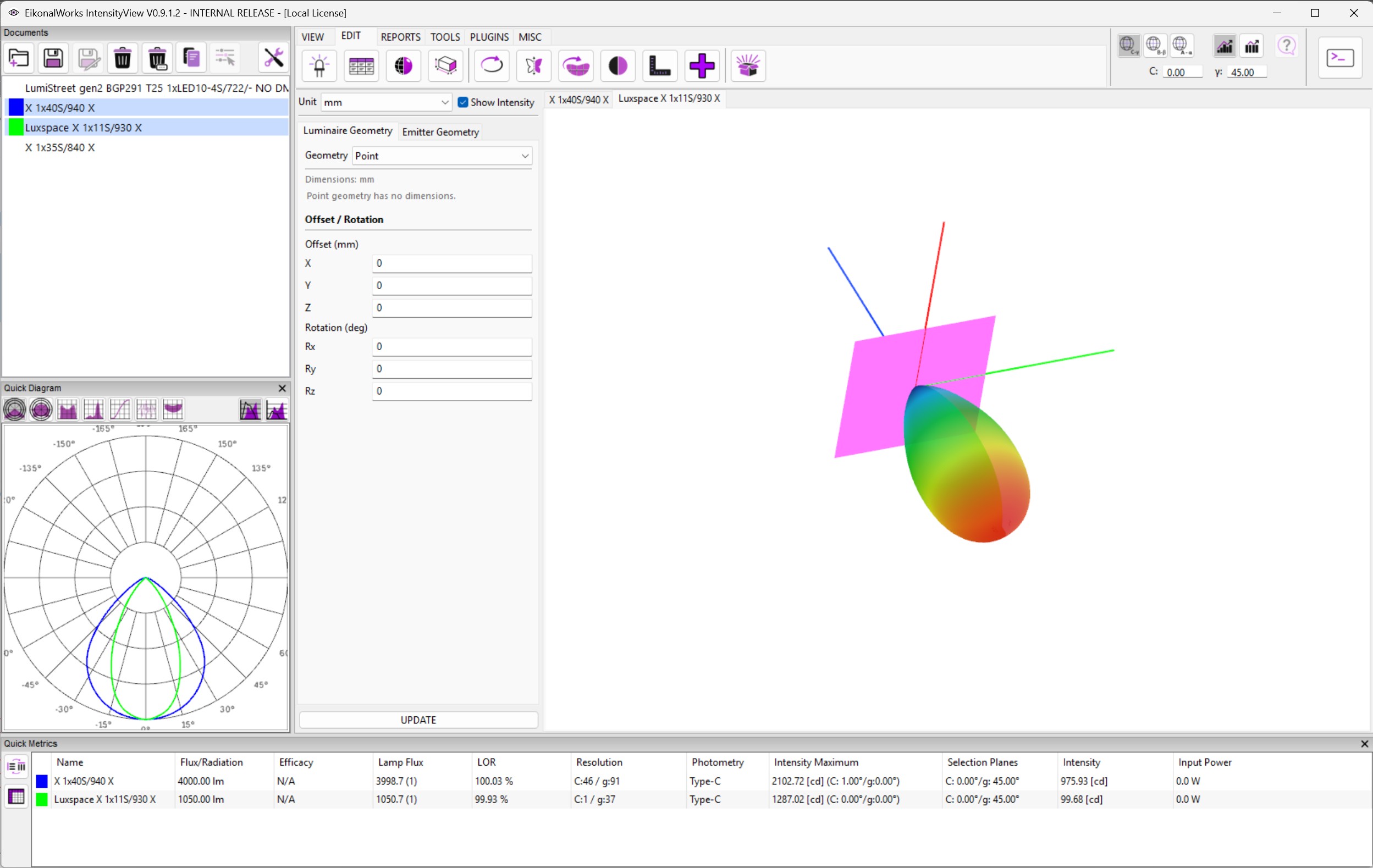
The Geometry Editor changes luminaire body geometry and emitter geometry. It also provides a live 3D preview for every selected photometry.
Unit And Preview
The Unit choice selects the displayed input unit: mm, m, ft, or in. Existing values are converted for editing and preview. Show Intensity overlays the selected intensity distribution on the geometry preview.
The right side contains one preview tab per selected photometry. The left editor always edits the active preview tab.
Luminaire Geometry
The Luminaire Geometry tab edits the document-level luminaire body. The body can be a primitive parametric shape or an imported mesh.
Primitive geometry choices include Point, Rectangle, Box, Ellipse / Disk, Sphere, Cylinder, Ellipsoid, and EULUMDAT. The available dimension fields change with the selected primitive type. Dimensions must be finite, non-negative values.
Mesh geometry is loaded from OBJ or STL-compatible mesh files through Load Mesh File. The Mesh file unit choice specifies the unit of the imported mesh.
Offset / Rotation defines the body's X, Y, and Z offset and Euler rotation angles in degrees.
Emitter Geometry
The Emitter Geometry tab edits emitting geometries separately from the luminaire body. A photometry can contain multiple emitter geometries.
- The emitter choice selects the emitter geometry to edit.
- Linked controls whether the selected emitter is attached to the intensity mesh when the update is committed.
- Add creates a new point emitter with the next available emitter id.
- Remove deletes the selected emitter from the working geometry.
- The emitter geometry and Offset / Rotation controls work the same way as the luminaire body controls.
Commit
The preview updates while editing. UPDATE writes the active geometry setup to all selected photometries. The document receives the luminaire body geometry, and each selected intensity mesh receives the linked emitters. Mesh calculations are updated after the geometry is committed.