Photometry Packaging Builder
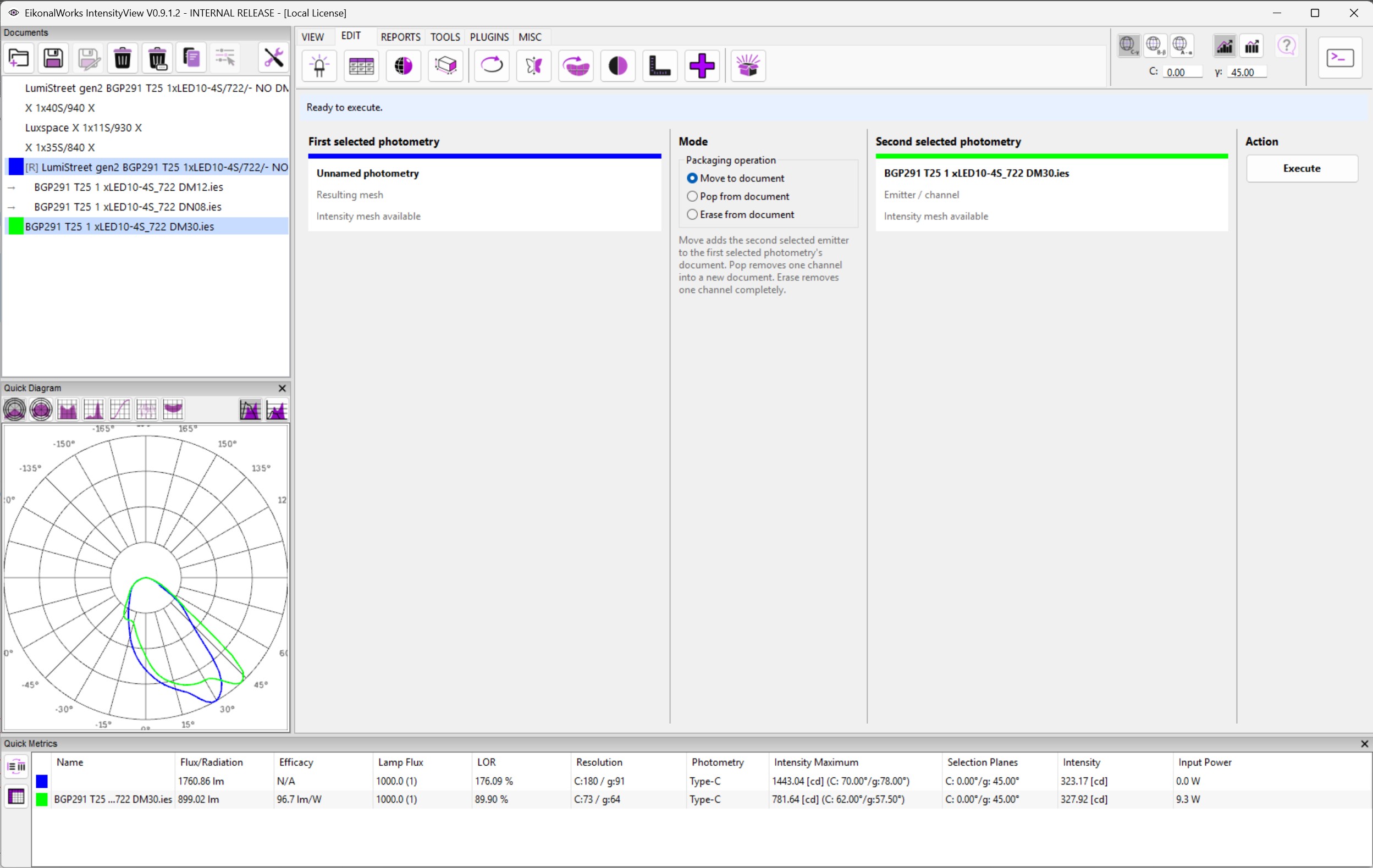
The Photometry Packaging Builder manages photometries inside multi-emitter documents. This is important for modern luminaire and BIM-oriented formats, where one document can contain a resulting intensity distribution and multiple emitter or channel photometries.
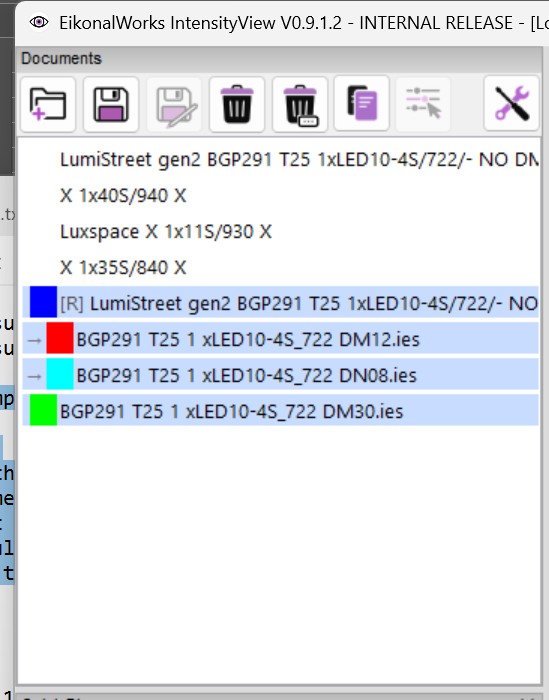
The intensity list uses indentation to show the relationship between a document, its resulting intensity distribution, and its emitters.
Layout
The page has columns for the first selected photometry, the packaging mode, the second selected photometry when required, and the Execute action. The notification bar explains what is currently missing or why execution is blocked.
Modes
- Move to document requires exactly two selections. The first selected photometry supplies the target document. The second selected photometry must be an emitter/channel and is moved into the first photometry's document.
- Pop from document requires exactly one selected emitter/channel. The selected channel is removed from its current multi-emitter document and placed into a new document.
- Erase from document requires exactly one selected emitter/channel. The selected channel is removed completely from its current document.
Pop and Erase require the source document to contain more than one emitter. This prevents removing the only emitter from a document through these modes.
Photometry Cards
Each selected photometry is shown as a card with its display color, emitter name, item type, and whether an intensity mesh is available. Execute is enabled only when the selected mode's requirements are satisfied.