Roadway Editor
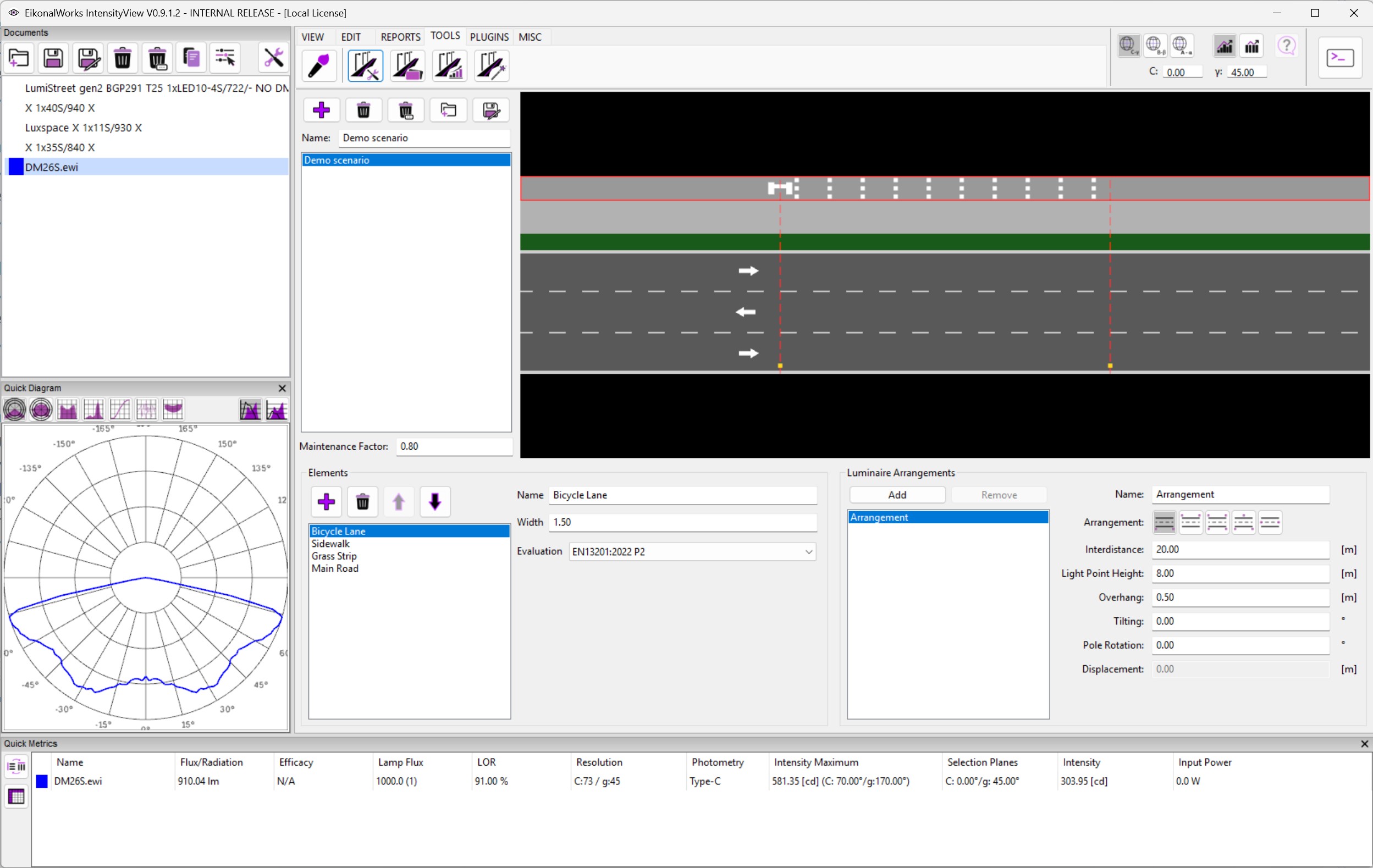
The Roadway Editor creates and edits roadway lighting scenarios used by the Roadway Calculator, Roadway Generator, and Roadway Optimizer tools.
Scenario Selection And Preview
The scenario selector chooses the active roadway scenario. The preview shows the road elements, grid points, and luminaire arrangement. Selecting elements in the preview updates the element editor.
Maintenance Factor
Maintenance Factor applies a project maintenance factor to the selected scenario. Enter a numeric value and press Enter to update the model.
Element Editor
The element editor changes roadway elements such as roads, lanes, sidewalks, bicycle lanes, grass strips, pavement R-tables, flow direction, widths, and valuation fields. The exact fields depend on the selected element type.
Arrangement Editor
The arrangement editor changes luminaire arrangement properties such as arrangement type, pole distance, mounting height, overhang, tilt, and related positioning settings. Changes update the preview model.
Workflow
Create or select a scenario, define road elements and valuation fields, adjust the luminaire arrangement, then use the calculator or optimizer tools to evaluate selected photometries against that scenario.